 Jev AI
AI Action Figure Generator
AI Action Figure Generator on Jev AI
AI Action Figure Generator for collectible-style photo creations
See a familiar face or original character reimagined as a desktop collectible. The AI Action Figure Generator on Jev AI uses one reference image to create a figurine-style scene with a clear display base, illustrated packaging and a computer desk setting. Upload your picture, choose the image shape and let the prepared effect handle the creative brief.
What does the AI Action Figure Generator create?
The AI Action Figure Generator turns a reference picture into a new image of a collectible figurine in a realistic desktop scene. The effect is designed around a character on a round transparent base, with matching artwork on a nearby box and a sculpting view on a monitor. The downloadable result is a PNG image.
Start with a picture that explains the subject clearly. A visible face, distinctive clothing and an understandable pose give the effect useful information to work with. If the outfit matters to your idea, include it in the source instead of cropping to the face alone. The AI Action Figure Generator creates a new interpretation, so the reference acts as visual guidance rather than a promise that every small detail will remain identical.
The appeal is the complete display scene. The base, desk and packaging help communicate the idea of a small collectible, while the character remains the focal point. You can use the image to explore an original character concept, create a playful portrait keepsake or present a costume in a different format. These are image projects: a figurine-style render does not include a manufactured object or a production-ready 3D model.
Jev AI keeps this effect focused. There is no prompt to write and no model choice to make. Select one source image and an aspect ratio; the square 1:1 shape is selected by default. Before generating, review the current credit estimate. When the result is ready, check both the character and the surrounding display elements before downloading the version you want to keep.
| Parameter | Specification |
|---|---|
| Source image | One required image; PNG, JPEG or WebP; up to 10 MiB |
| Text input | No prompt required |
| Available control | Aspect ratio; default 1:1 |
| Result | One PNG image per request |
| Creative direction | Collectible figurine, transparent base, desktop and illustrated packaging |
Explore the character and the collectible presentation
Use a strong source picture to shape the character, then evaluate the finished display as a whole. These Jev AI illustrations demonstrate the intended visual direction; they are concept examples rather than measured tool results.
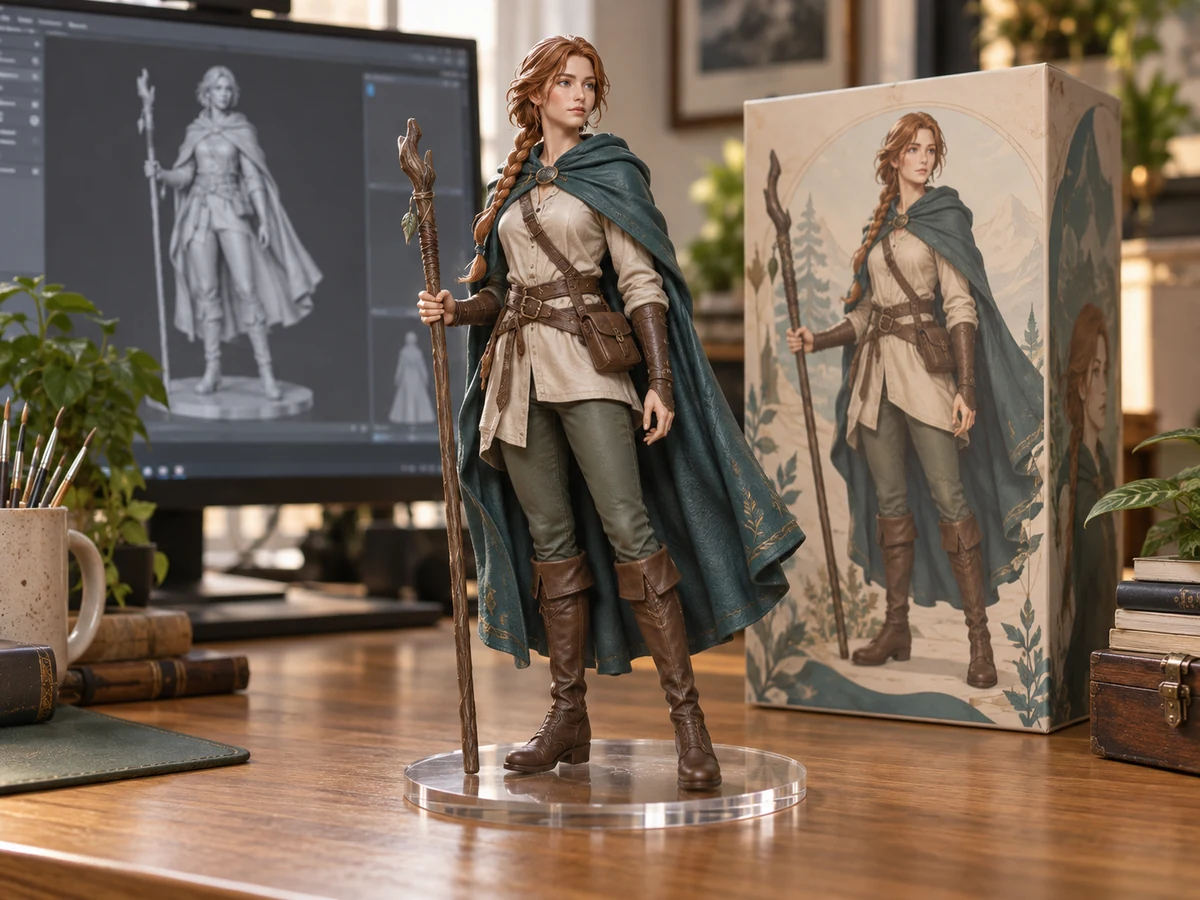
Give an original character a display setting
A ranger with a green cloak becomes a different kind of character presentation when shown on a transparent base beside a collector box. The AI Action Figure Generator is useful for exploring that shift from a flat picture to a photographed collectible aesthetic. In your source, make the important costume shapes and accessories visible. In the output, compare the face, posture, clothing and accessory placement, then inspect how the figure sits on the base. A strong image should communicate the character even when viewed at a smaller size. Save the source alongside the result so you can judge which details carried through.
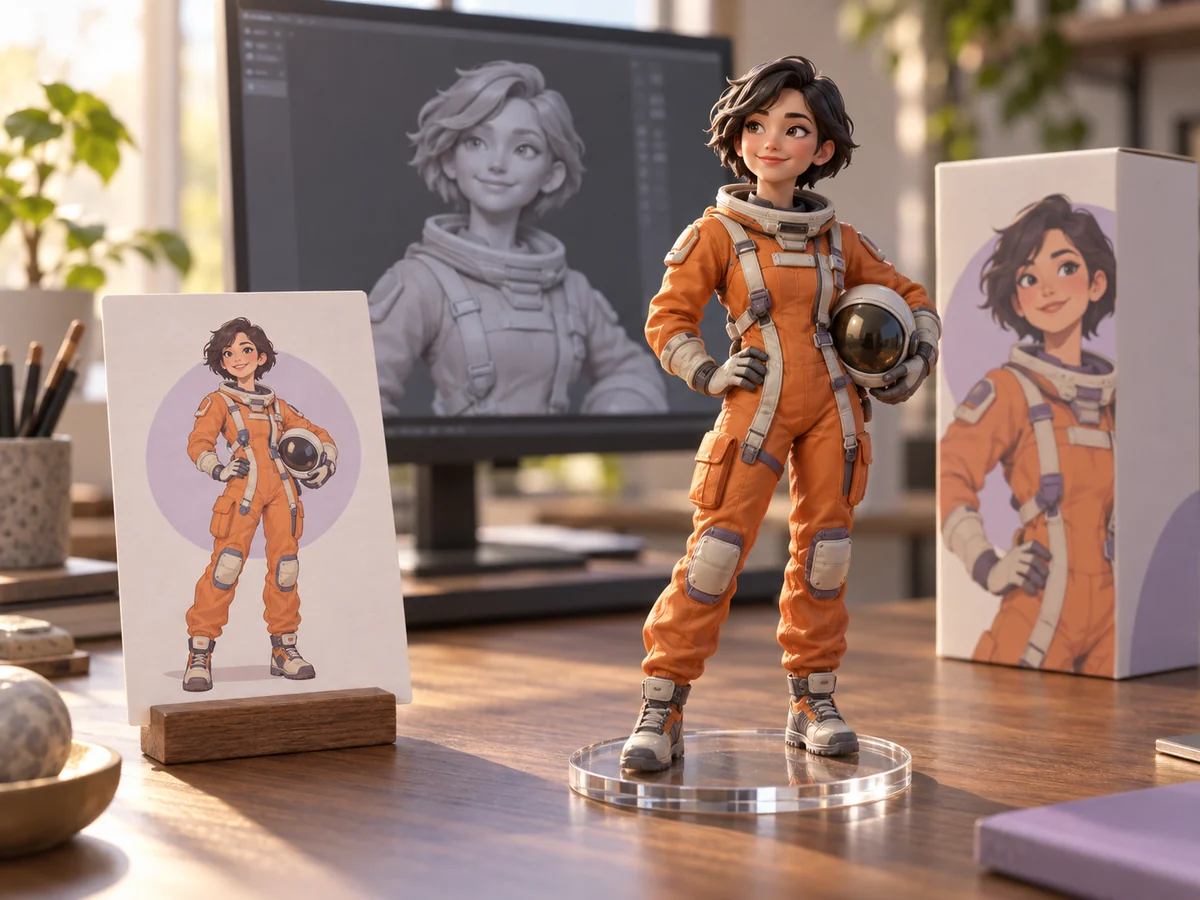
Build a recognizable concept from clear visual cues
An astronaut illustration can communicate a simple silhouette, an orange suit and a helmet before the scene is generated. Those visual cues give the AI Action Figure Generator a focused starting point. A single readable character is a practical first test; a crowded image gives the effect more competing details to interpret. For a concept collection, prepare separate references and use a consistent output ratio across requests. Compare the resulting display images for identity and composition, while expecting some variation in pose, packaging and background. This approach helps you discuss a visual direction before investing in detailed character production.
How to use AI Action Figure Generator
Prepare your creative idea, check the available inputs and review the finished result.
Choose a clear reference
Pick a photograph or original character image with a visible subject and useful clothing details. Crop away unrelated distractions before uploading if needed. Use one PNG, JPEG or WebP file up to 10 MiB. A reference that clearly communicates the face and silhouette makes the intended character easier to understand.
Upload and choose the composition
Add the image in the main input panel or select an available asset from your library. Keep 1:1 for a square presentation or choose another listed ratio for your layout. The AI Action Figure Generator uses its prepared style automatically, so you do not need to enter a prompt.
Review the estimate and generate
Sign in to Jev AI and check the balance and estimate shown beside the generation control. Submit when the source and ratio are correct. Follow the processing status in this effect’s history. Each new attempt is a separate request, so decide what you want to change before generating another version.
Inspect the figure and download
Open the available result and look at the face, hands, costume, base and packaging. Check small illustrated details as well as the overall scene. Download the PNG you want to keep. If a key feature is unclear, choose a clearer source or a more suitable crop for the next attempt.
AI Action Figure Generator questions and answers
Practical answers about preparing your source, using AI Action Figure Generator and reviewing results on Jev AI.